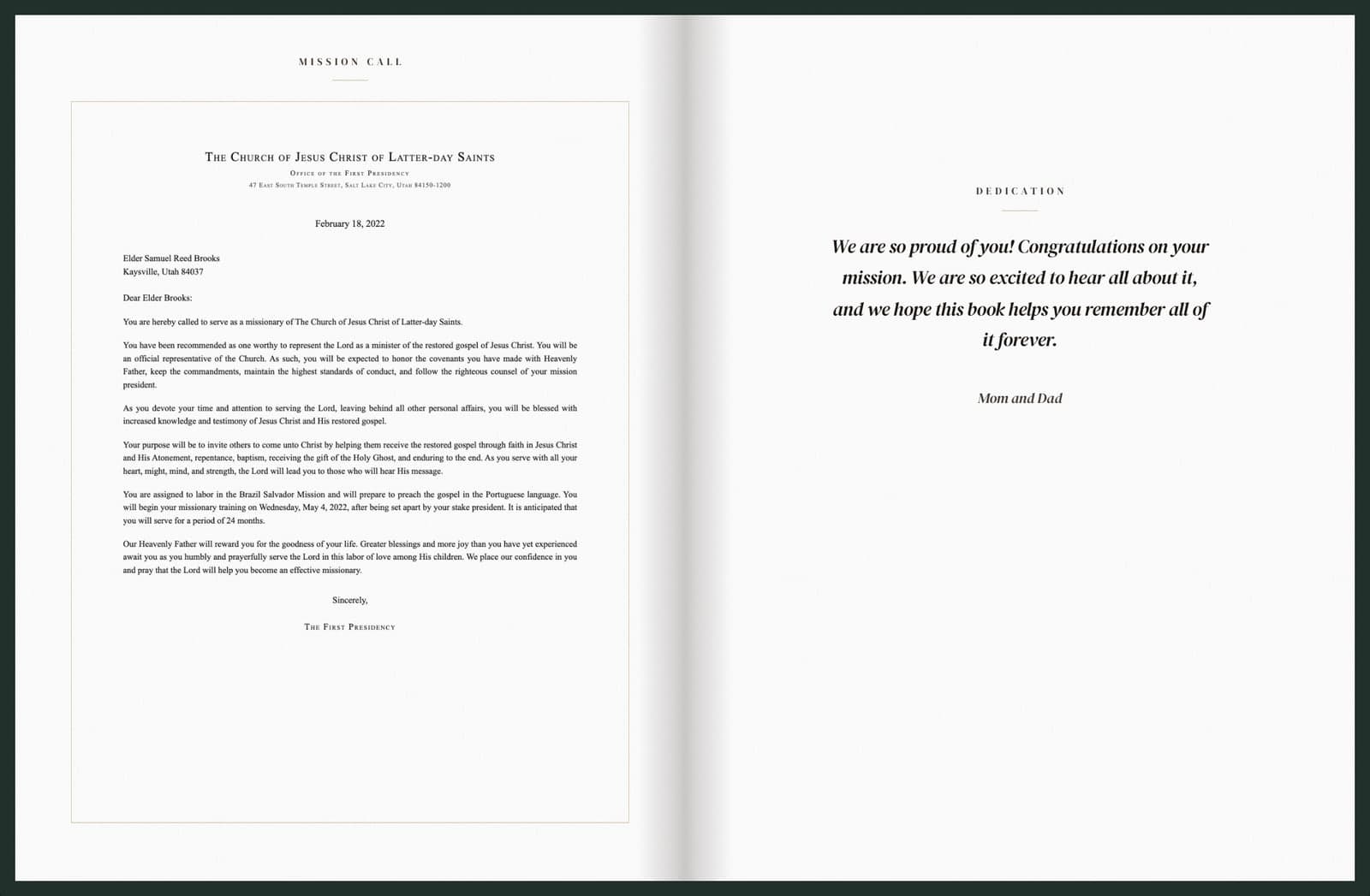
The mission call and a dedication page
The book opens with the missionary’s official mission call, followed by a dedication page for a personal message.
You saved every email. Now you can hold them.
We bring mission emails and photos together in a beautifully bound hardcover memory book, organized into chapters by area. Every letter stays true to the original, with no rewriting and no scrapbooking required.
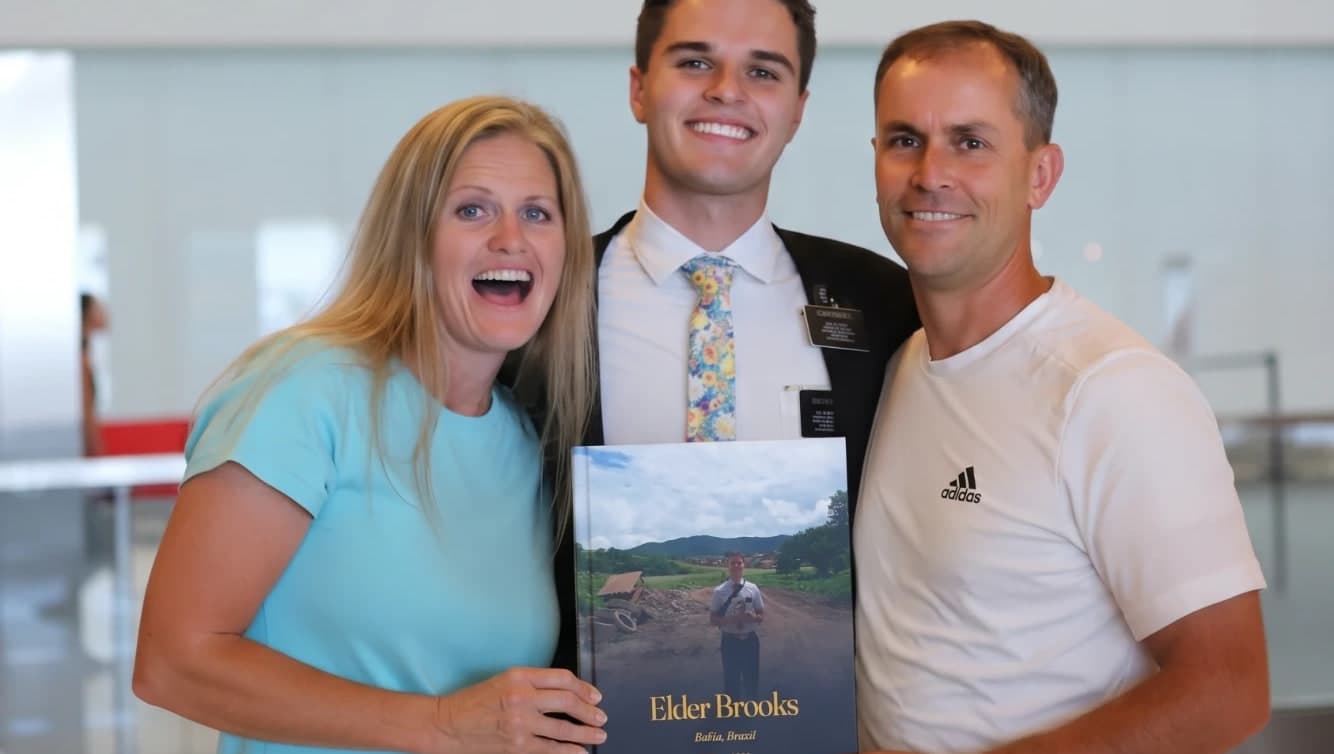
“I read the whole thing in one night.” — Mom
No tech skills needed
Missionary still serving? Add your private MissionMems email address to the weekly email distribution list. Forward past emails to include letters from earlier in the mission.
Mission completed? Upload past mission emails from your inbox. We’ll guide you through the process.
Each area the missionary served in becomes its own chapter, with all letters from that area arranged chronologically. Original letters and their attached photos are kept together in the book.
Review the book and make any final changes before approving it for printing. Then enjoy a beautifully bound hardcover keepsake to treasure for years to come.
More than a photo book
MissionMems preserves the missionary’s story in their own words, bringing together the letters, photos, and meaningful moments of their mission in a beautifully bound hardcover keepsake.
The book opens with the missionary’s official mission call, followed by a dedication page for a personal message.
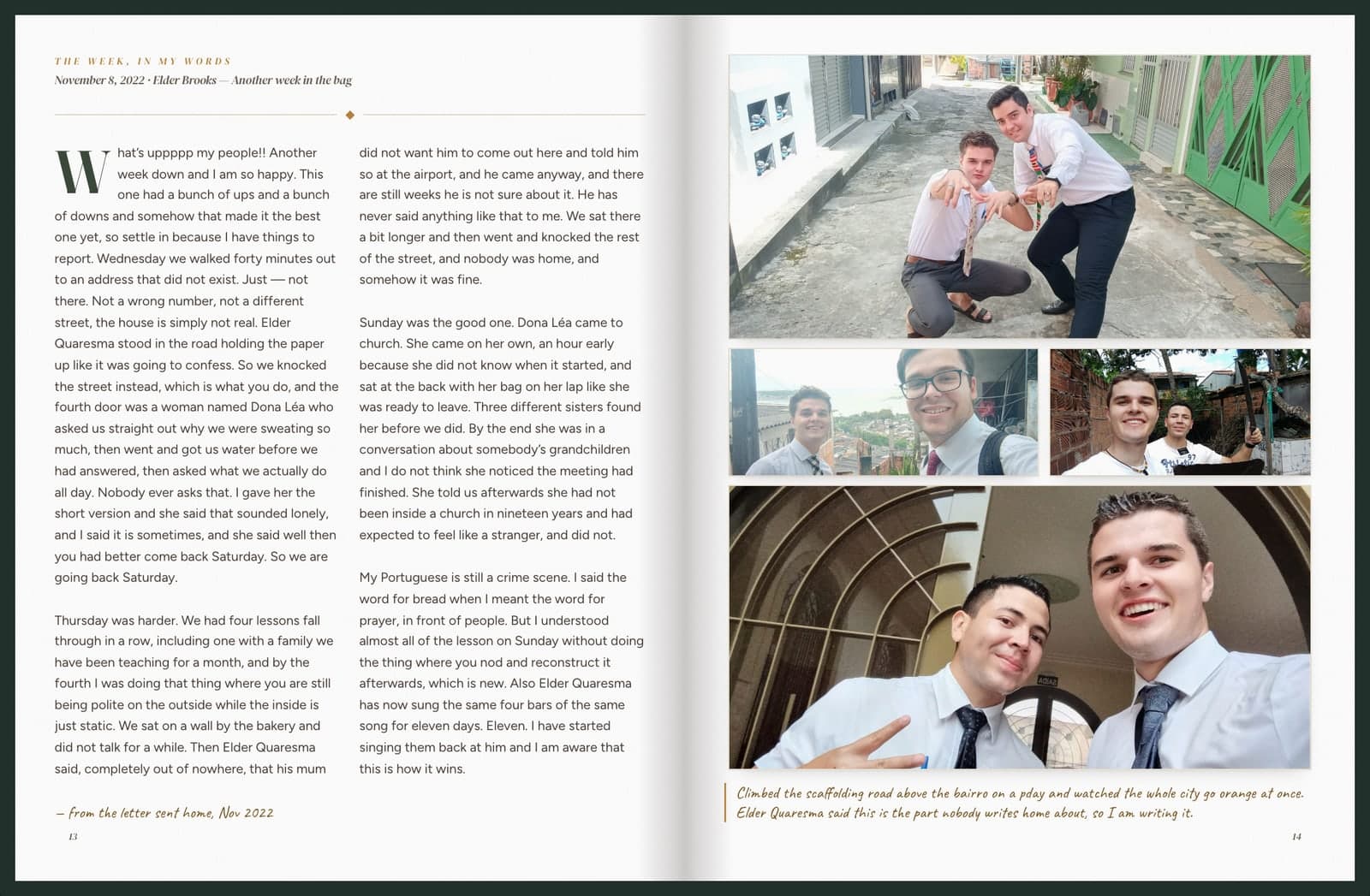
Each weekly email is preserved word for word, with its attached photos printed alongside it.
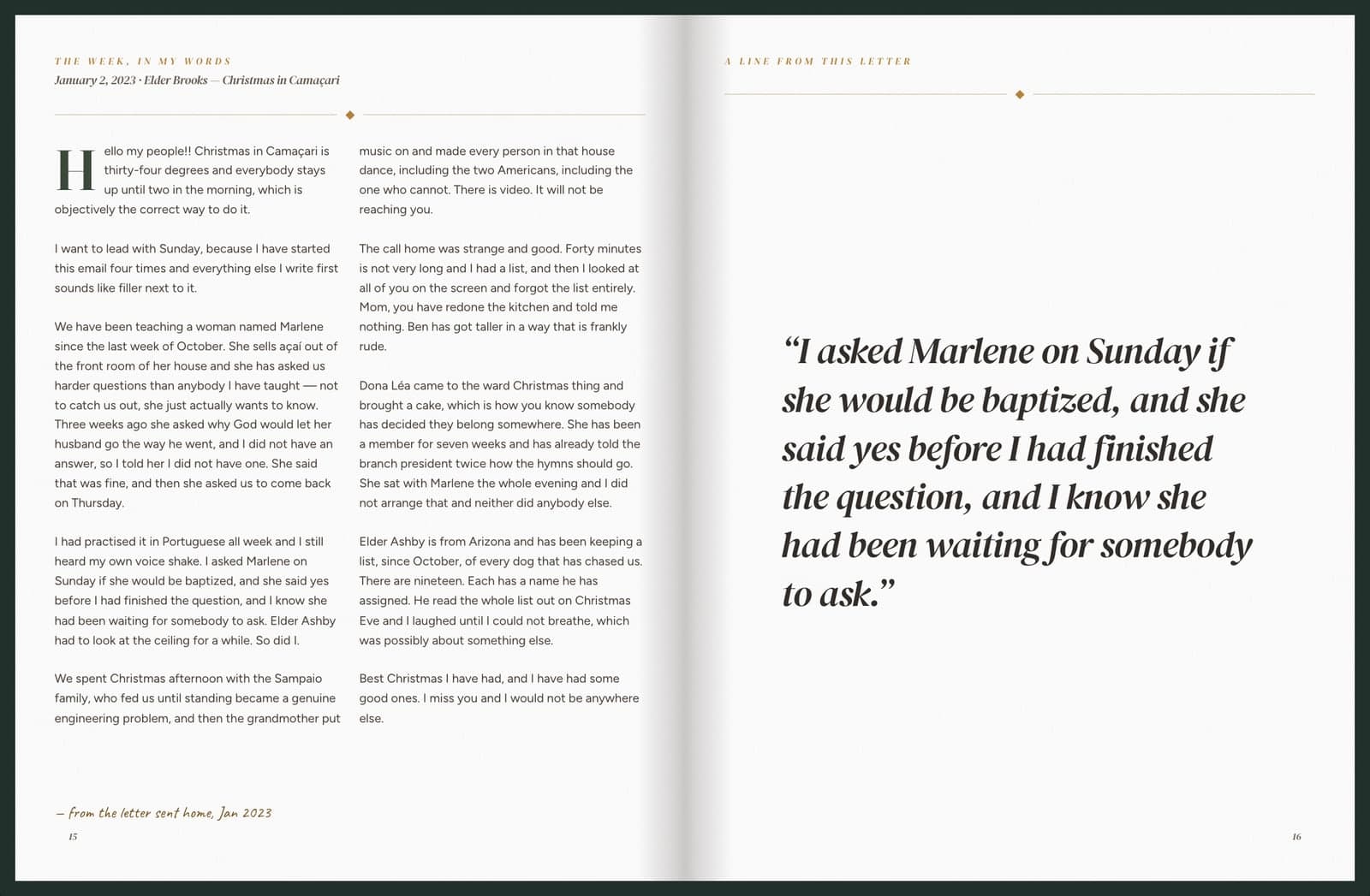
One sentence from each letter is featured in large print on its own page, alongside the original letter.
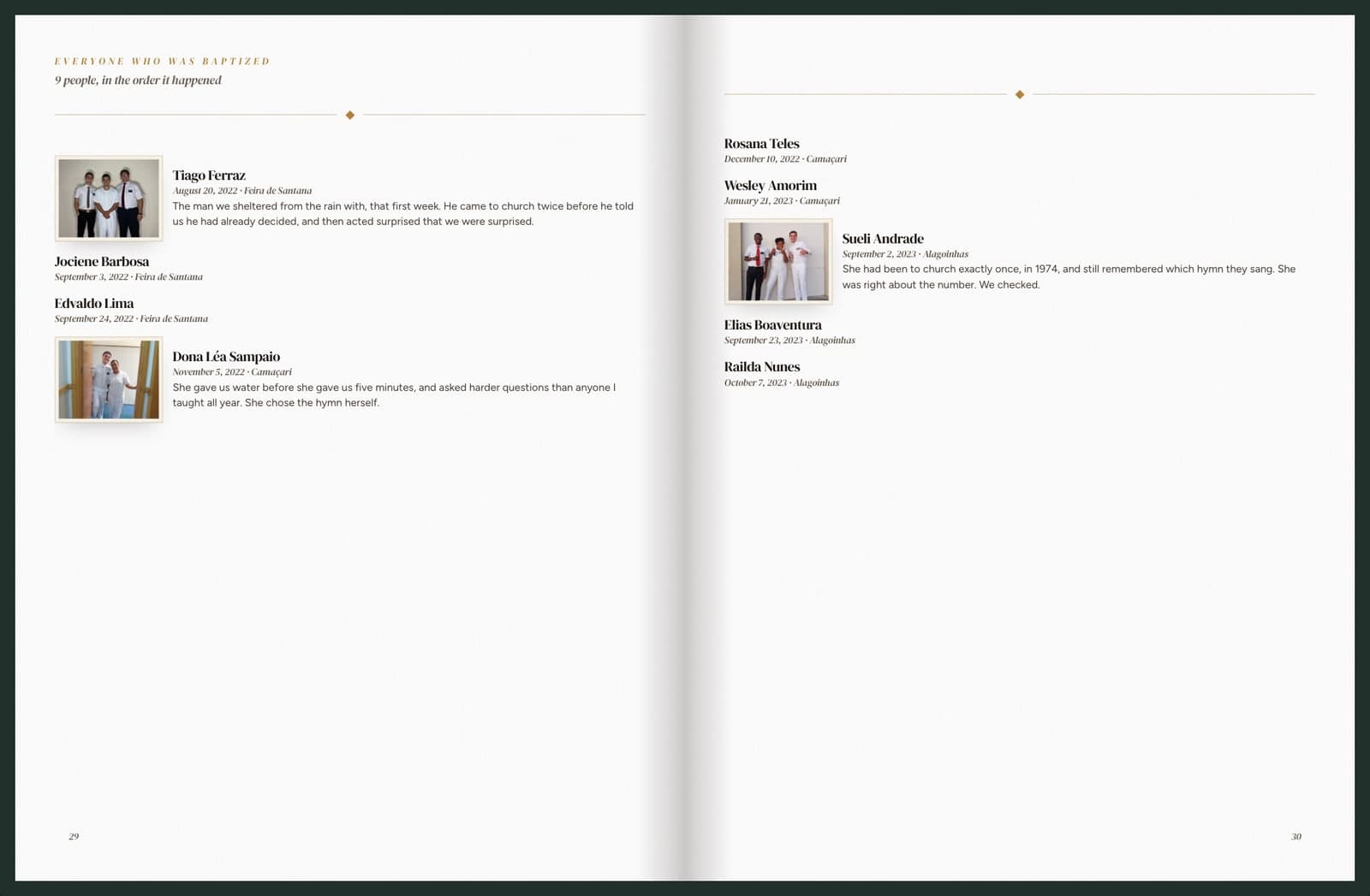
A chronological list at the back of the book includes each person’s name, baptism date, and a meaningful detail drawn directly from the letter that mentions them.
Photos from a real mission in Bahia, used with permission. Names and letters were written for this sample.
More to the mission story
A map traces each area the missionary served in, with dates marking the time spent in each location. You can also choose to include letters sent to the missionary, and the final page can feature a photo of your choice.
…and more built in that this page doesn’t show.
Start your bookWhat makes MissionMems different
More than a collection of emails and photos, MissionMems brings the mission story together in one beautifully organized book, with chapters for each area, original letters, and the photos that go with them. No scrapbooking or manual sorting required.
With MissionMems
An hour or two
of your time, whether the mission is complete or still underway
You provide the mission emails, and we organize them into a complete book, with chapters for each area, original letters, and their photos already in place. Then you review the finished book, make any changes you’d like, and approve it for printing.
Other competitors
Date order
every email, oldest to newest, exactly as it arrived
You get the emails back, printed and bound in the order they were sent.
See what’s included in MissionMems compared with a typical mission book.
Comparison based on publicly available information about other mission-book services. Features may vary by service.
See MissionMems in action
In just one minute, see how MissionMems transforms mission emails into a complete book, with original letters, photos, memorable quotes, and chapters organized by area.
From the families
We love our MissionMems book! We wanted at larger book option and found it at MissionMems -theres are 8.5x11 where most are 6x9 ! They make it super easy and pull a ton of information including baptisms, dates, companions (with pictures), mission call along with letters and pictures! It’s such a great way to remember all the details of my daughter’s mission. I would recommend MissionMems to every missionary mom!!
One of my favorite things about MissionMems was how much time it saved me! As a busy mom, I loved not having to figure out how to put everything together myself. They made it so easy to create something special for my son, and the book is something to be passed down for generations!
I ordered a book for my son as a homecoming gift and I honestly couldn't be happier with how it turned out! As a mom, it means so much to have something so special that helps preserve his mission memories and experiences. I especially appreciated how much time and effort MissionMems saved me, instead of spending countless hours trying to organize and put everything together myself. The whole process was simple and convenient, and the finished product exceeded my expectations. I was very impressed with the quality when it arrived! It's such a meaningful keepsake for our family, and I know my son will treasure it for years to come. I would absolutely recommend MissionMems to any mom looking for a special way to capture their missionary's journey!
I recently got back from my mission and really wanted to make a mission book and after seeing all that mission mems offered especially all the features and sizing I chose them! And I do not regret it!
Mission Mems is such an incredible way to preserve a missionary’s experience! As a mom, I know firsthand how many hours it takes to print letters, organize photos, and assemble a scrapbook. Mission Mems makes the process so simple and creates a beautiful, hardbound book that captures everything my son has shared from his mission. It’s not only a huge time-saver and more cost-effective, but it preserves priceless memories in a way I know he will treasure forever. I may even need a second copy to keep at home so I can revisit the letters, photos, and experiences that helped shape him into the person he is today. I highly recommend Mission Mems to any missionary family!
Every word, in their own voice
From spiritual moments to challenging weeks and funny experiences, every letter is preserved in the missionary’s original words. Featured quotes are taken directly from the letters, and you can change or remove any quote before approving the book.
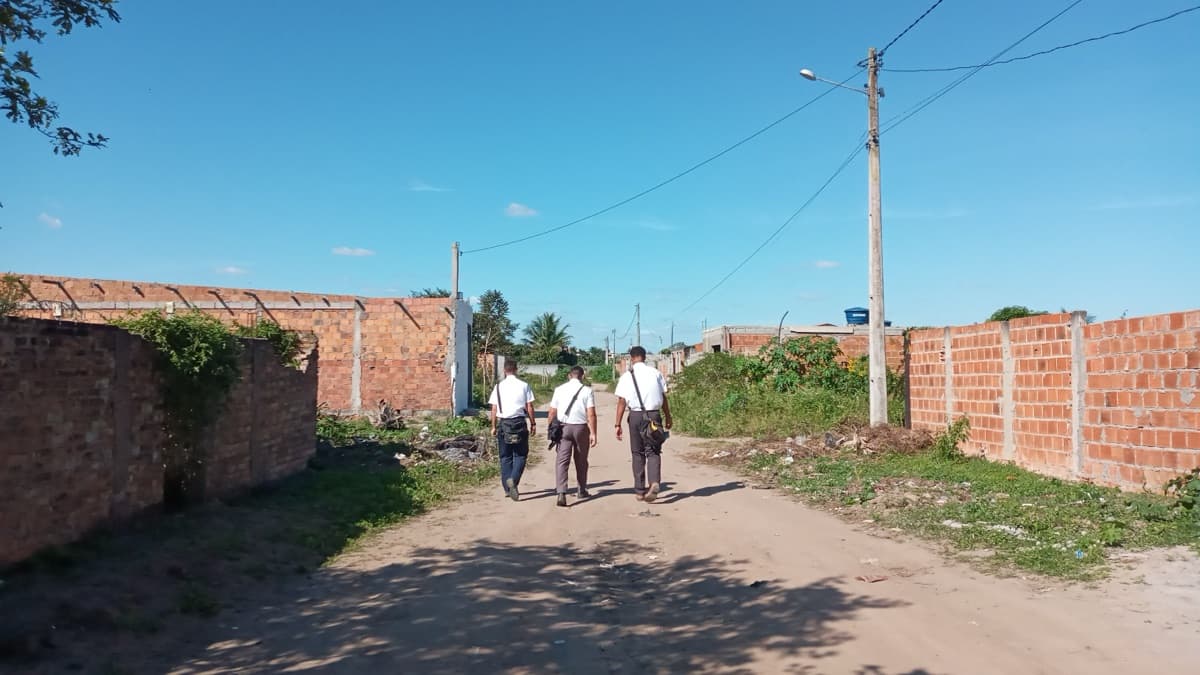
Nothing prints until you approve it.
Clear, upfront pricing
Most missions come to between $200 and $225.
Already home — read all of it online and pay nothing until you order the hardcover.
Still serving — the $200 is paid up front, and it comes off your total. It runs the mission inbox from the day you start, and you still read every page before you confirm.
Your entire book, including every page and photograph, is on screen for you to read before anything is printed. You can make edits and approve the finished book before placing your print order.
Every book includes
We’re here to help
Absolutely. The mission emails are kept in your private account. We don’t access your inbox through a live connection, and your emails are never used to train AI. You’re in control and can delete your emails and account data at any time.
Not at all! In fact, starting while they’re still serving makes the process easier. We’ll provide a private MissionMems email address that can be added to their weekly mission emails. The missionary can send emails directly, or a parent can forward them. As emails arrive, the letters and attached photos are saved for the book. This is the one case where you pay up front: the headline price is charged when you start, it keeps the mission inbox running for the rest of the mission, and it comes off your total at the end. You still read the whole book before you confirm the order. By the time your missionary returns home, their mission story is already coming together. You’ll also avoid the 90-day rush to export the Church account before it closes for good.
You can use Google Takeout to download emails from the missionary’s Church Google account.
Do this promptly — there are only about 90 days after release before the Church account closes for good.
Has the account already closed? Don’t worry! Check with family members who received copies of the weekly emails. If those emails are in a parent’s or family member’s inbox, they may be able to export them and use those copies to create the book. Mission photos can come in separately from a Google Photos album in any Google account.
Yes, if the photos are in a Google Photos album. Paste the album’s share link on your MissionMems page and we’ll copy in every photo from the mission’s dates. It works from any Google account, so it doesn’t matter if the Church account has closed.
A week whose email came with photos keeps those photos. A week whose email had none gets up to eight from the album. Every other photo waits in your photo library, where you can add any of them to the book.
Drive folders, iCloud, and Dropbox links can’t be read, but you can download those photos and upload them instead.
No. Any featured captions or meaningful excerpts come directly from the missionary’s own words in their letters home or replies. We don’t invent stories or add words the missionary never wrote. The book preserves their voice and their experiences, just as they shared them.
We treat personal and sensitive details with care. Names of people the missionary taught and addresses are excluded by default. You can review and confirm names before they appear in the printed book, and you can choose to leave sensitive stories out. Your book won’t be finalized for printing until you’ve reviewed and approved it.
Absolutely! If your photos were backed up to Google Photos, you may be able to recover them using Google Takeout. Photos stored in iCloud must be retrieved separately through Apple, as Google Takeout can’t access iCloud.
And there’s good news: many photos may already be included in the weekly mission emails. We preserve those attached photos alongside the original letters, so more of the mission may already be preserved than you realize.
A homecoming gift to keep for life
Not starting today?
Leave an address and we’ll send the one email that matters — when it’s time to start so the book lands before homecoming.